Comparison
Vidonto vs Riverside
Riverside records podcasts and remote guests, then edits and publishes; Vidonto edits solo recordings by text and makes summary videos with pay-as-you-go credits.
Updated
Checked on . Everything said here about Riverside comes from Riverside's own public pages on that date, listed under Sources. Products change, so check their site for the latest. Everything about Vidonto was checked against the app.
Riverside and Vidonto both record in the browser, edit video by its transcript, remove filler words, find short clips and dub recordings into other languages. They’re built for different recordings. Riverside is a studio for podcasts, interviews and webinars: you invite remote guests, record everyone on separate tracks up to 4K, then edit, publish to podcast and social platforms, livestream or host the episode. Vidonto is built for one person’s screen and camera recordings — tutorials, demos and talking-head videos — that you clean up with suggested cuts, frame with camera views and zooms, and export in the shapes you need. The same app makes narrated summary videos from links, documents and scripts, and you pay with credits as you use them instead of a monthly plan.
The short verdict
- Pick Riverside if you record podcasts, interviews or webinars with guests, want separate high-quality tracks for each person, or want to publish, host, livestream and schedule posts from the same place.
- Pick Vidonto if you record yourself and your screen, want suggested cuts you check one by one, camera views and zooms after recording, or summary videos from YouTube videos, web pages and documents — and you’d rather pay as you go than keep a monthly plan.
Pay only for what you use
Vidonto has no subscription, no monthly plan and no per-person fee. You buy credits when you need them:
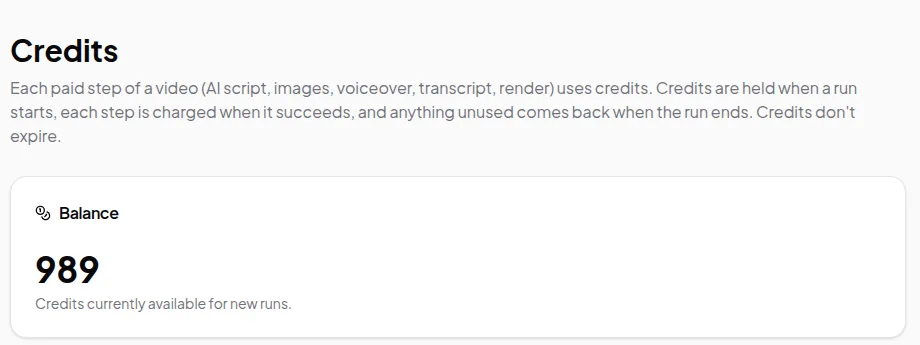
- Packs start at $5 for 1,000 credits. Larger packs include extra credits: 2,100 credits for $10 or 5,500 for $25.
- Purchased credits don’t expire, so there’s no monthly allowance to use up.
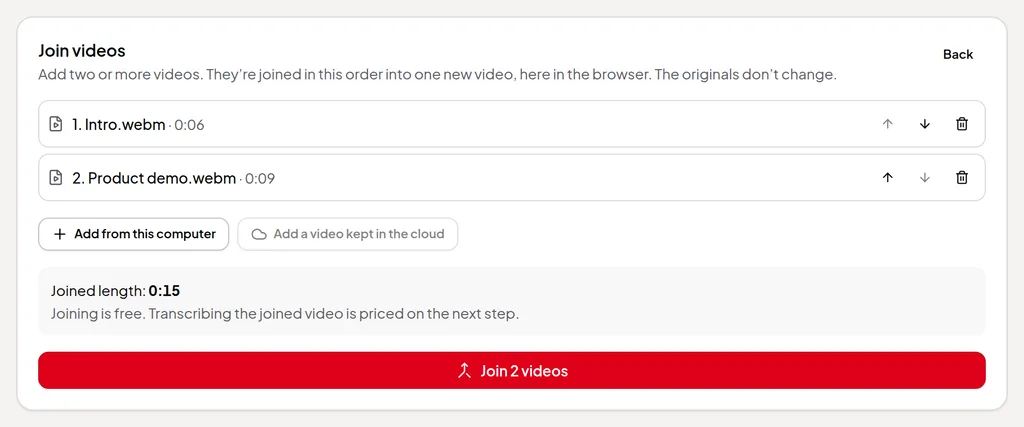
- Recording and editing are free. Recording and saving the take on your computer, cutting words, accepting suggestions, joining videos and exporting on your computer never use credits. There’s no watermark.
- You see the price first. Every paid step shows an estimate in credits before it starts.
- Failed steps aren’t charged. Credits are held when a run starts, each step is charged only when it succeeds, and anything unused goes back to your balance.
With no monthly fee, you don’t pay in months you don’t make videos. The only ongoing costs are ones you choose: a video you keep in Vidonto’s cloud, and views of a share link. If you record an episode every week, a plan like Riverside’s may suit you; if you make videos now and then, credits mean you pay only for those. See how pricing differs and the pricing page.
What Vidonto adds that Riverside’s pages don’t describe
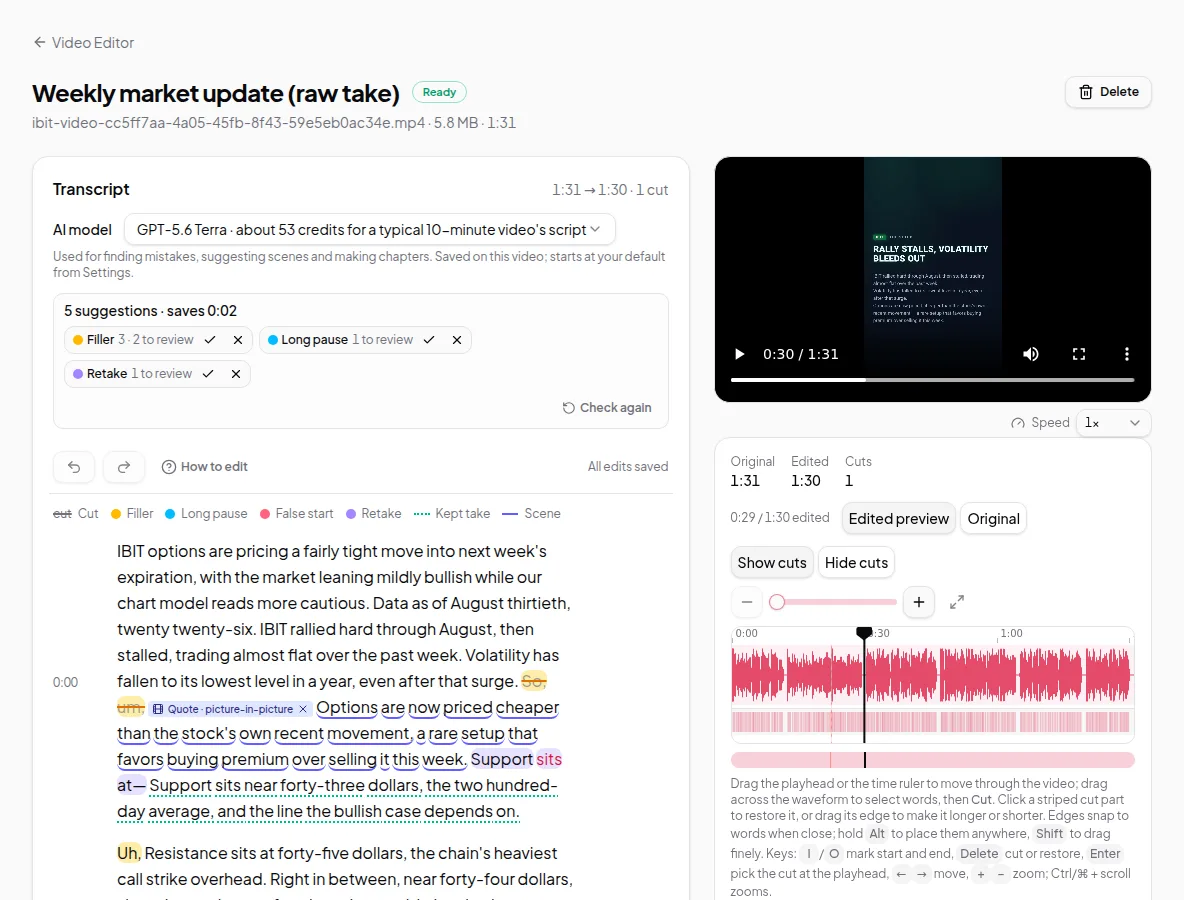
- Retakes found for you. Along with filler words and long pauses, Vidonto suggests retakes — a sentence you stopped and said again — for you to accept or reject.
- Camera views and zooms after you record. For screen + camera takes, switch between screen only, a camera bubble, side by side and camera full screen, or zoom in on part of the screen; Direct my video suggests them for you.
- Summary videos. Turn a YouTube video, a web page, a PDF, Word file or slide deck or your own script into a narrated video in one of 26 languages.
- An AI avatar in place of your camera. The AI avatar speaks with your own voice where your camera would be in polished exports.
- Your own footage in generated videos. Summary videos can show clips from your own recordings on the frames where they match the narration.
Feature by feature
| Vidonto | Riverside | |
|---|---|---|
| Record in the browser | Your screen and camera, saved on your computer | Remote guests on separate tracks, up to 4K video and 48 kHz audio on paid plans |
| Screen recorder | Yes, with a camera bubble | Yes |
| Teleprompter | Not offered | Yes |
| Edit video by editing the transcript | Yes | Yes |
| Remove filler words and silences | Suggested for you to accept or reject, plus retakes | Yes |
| Join several recordings into one | Yes, in the browser, for free | Trim, cut, split and splice in its timeline |
| Clean up noisy sound | Yes, with a strength slider | Magic Audio |
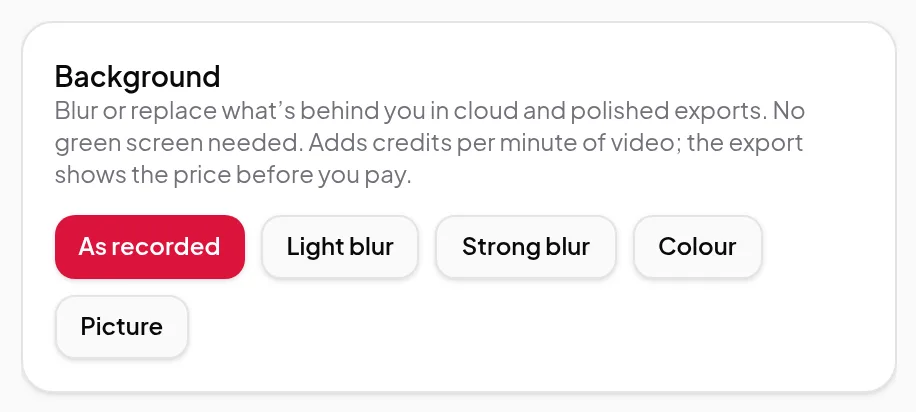
| Background blur or replace | Yes, in cloud renders and polished videos | Virtual backgrounds or blur |
| Eye contact correction | Not offered | Yes |
| Camera views and zooms after recording | Yes | Layouts that switch by speaker |
| Short clips from a long video | Up to 8 suggested clips of 15–90 seconds | Magic Clips, on every plan |
| Your own footage in generated videos | Clips from up to 5 of your recordings kept in the cloud, placed in summary videos where they match the narration | Not described on the pages we checked |
| Add a video from a YouTube or TikTok link | Your own YouTube, TikTok, X or Facebook videos, or a direct file link; not Instagram or Vimeo | Paste a YouTube URL into the editor |
| Compilation or highlight videos | Highlights videos: AI-picked sound bites from one recording, linked by narrated bridges or text cards. Compilations: AI-suggested moments from 2 to 10 recordings. You review both before rendering | Merge videos, then cut to the best parts with its Co-Creator AI agent |
| Captions | SRT and VTT files, or burned into polished videos | AI captions you can style and animate |
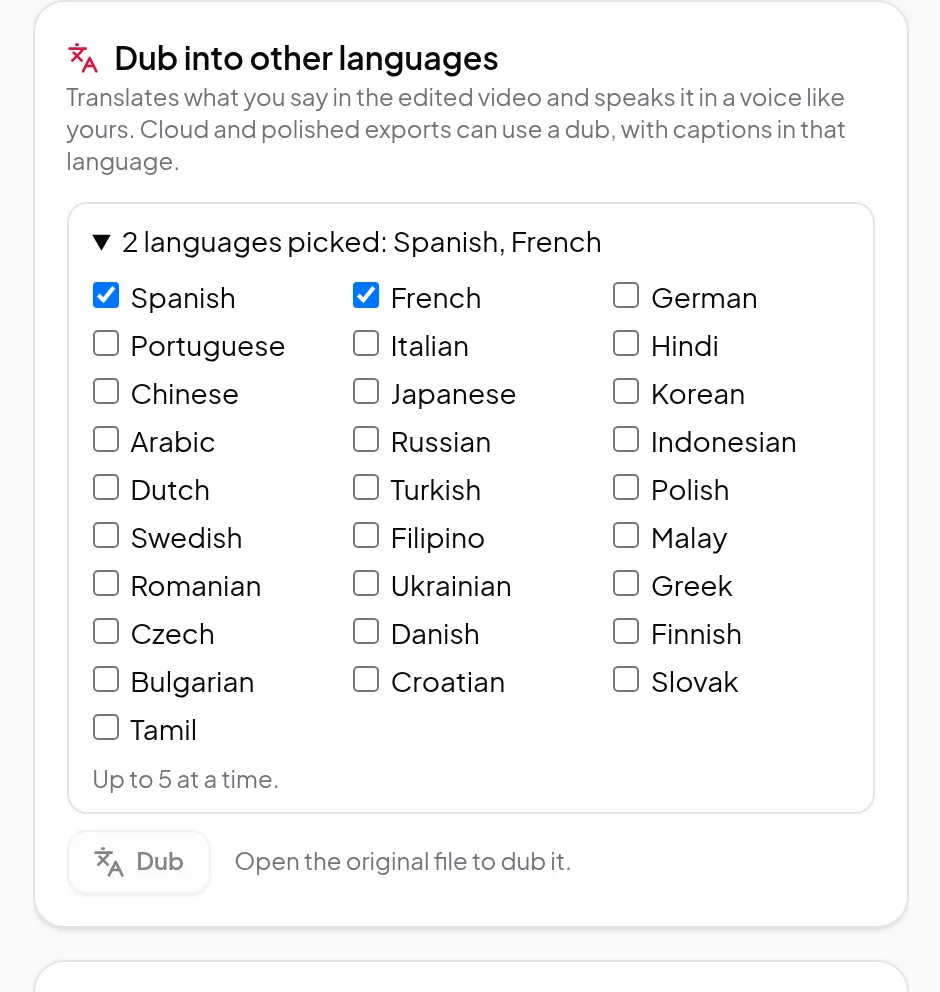
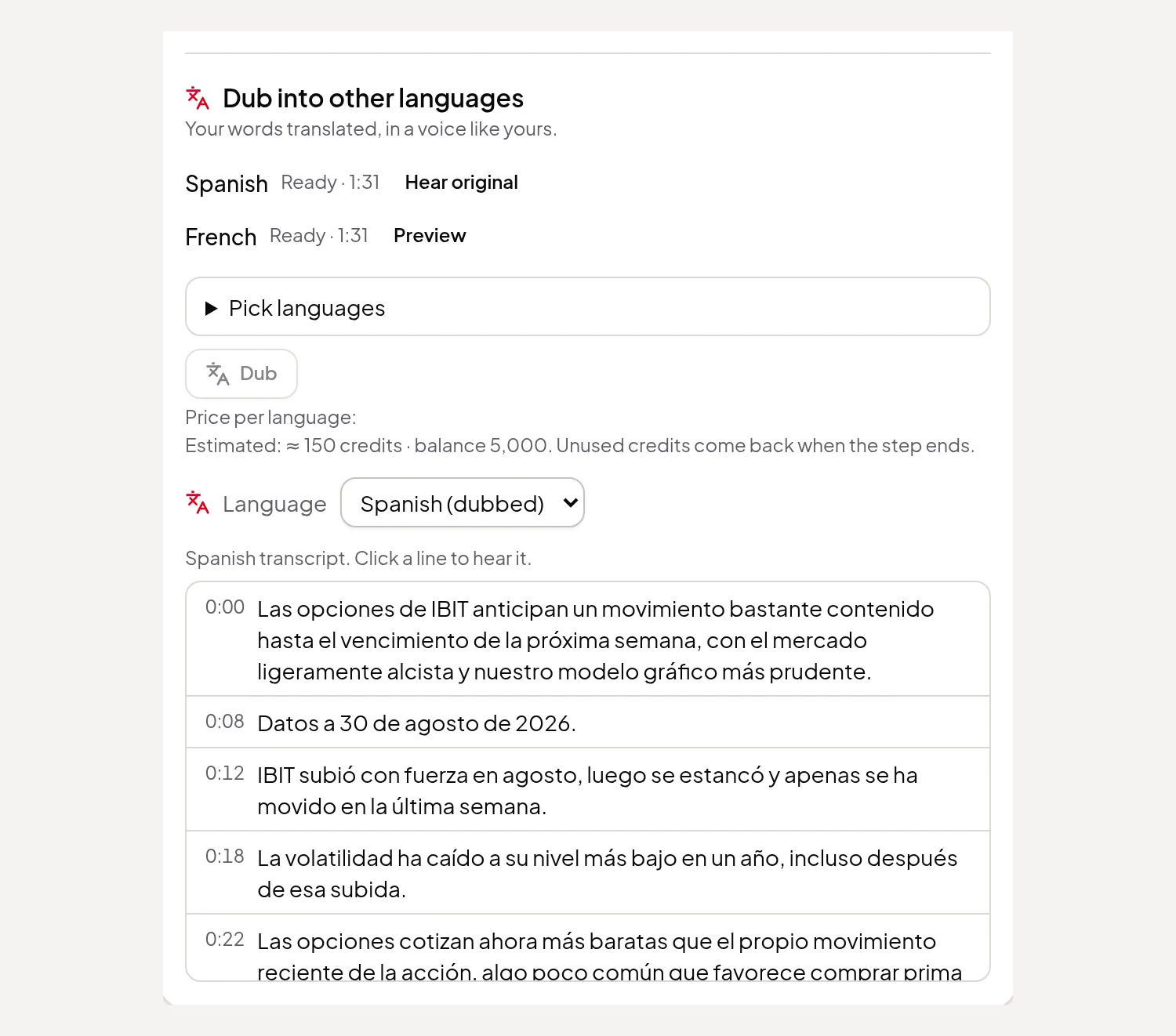
| Dubbing into other languages | 29 languages, up to 5 at once, in a voice like yours | AI translation into 30+ languages in your own voice, with lip sync |
| Brands | Up to 20 brands, each with a logo, colours and fonts from Vidonto’s set | Logo, colours, intro and outro, applied with a click |
| Chapters and a description | Chapters, a description and a blog post or article | Titles, descriptions, chapters and show notes |
| Publish, host and livestream | Not offered; you download the MP4 or share a link | Podcast hosting, publishing to YouTube, Spotify, Apple and social, and livestreaming |
| Share a link for viewers | A watch page with a view count; views use credits | Share directly with others or on social media |
| Summary video from a YouTube link, web page, document or your own script | Yes, in 26 languages | Not described on the pages we checked |
| Developer API | Yes, for summary videos, with batches of up to 100 links and signed webhooks | API access on the Business plan |
| Use from an AI assistant | Claude, ChatGPT, Cursor and other assistants, through a connector | Claude, ChatGPT and Cursor, through MCP, on Grow and above |
| Pricing model | Pay-as-you-go credits from $5, no subscription or seats; purchased credits don’t expire | Free plan with a watermark; paid plans by the month or year, with AI credits |
Where Vidonto fits better
- Careful, reviewable cuts. Filler words, long pauses and retakes are suggested in the transcript for you to accept or reject one by one or by type. Your own cuts are never changed by a new check, and the timeline lets you cut an exact time range such as a click or a breath. See edit video by text.
- Framing a screen recording. For screen + camera takes, camera views and zooms can be changed after you record, and Direct my video suggests where they go.
- Your recording stays on your computer. Saved on your computer, the video file isn’t uploaded; only a small audio track is sent to make the transcript. Exporting on your computer is free.
- Several shapes from one edit. A polished video makes landscape, vertical and square versions with burned-in captions, title and end cards and your brand.
- Videos from what’s already been said. The same credit balance makes narrated summary videos from YouTube videos, web pages, documents or your own script, and the connector for Claude, ChatGPT and other assistants can start them for you.
- Paying per video. No plan and no monthly AI credits to use up: you see an estimate before every step and pay only for steps that succeed.
- More from your own recordings. Summary videos can show clips from your own recordings, you can add your videos from a YouTube, TikTok, X or Facebook link, a highlights video links the best moments of one recording with narrated bridges or text cards, and a compilation turns 2 to 10 recordings into one highlight video. Riverside’s pages describe merging videos and asking its Co-Creator agent to cut to the best parts.
Where Riverside fits better
- Recording guests. Riverside records remote guests on separate audio and video tracks, up to 4K and 48 kHz on paid plans, with in-person multi-cam recording and a teleprompter. Vidonto records one person’s screen and camera.
- Publishing and hosting. Riverside lists podcast hosting, publishing to YouTube, Spotify, Apple Podcasts and social platforms, social scheduling and livestreaming to several destinations. Vidonto doesn’t post or host for you; its share links open a plain watch page.
- Webinars. Riverside’s Webinar plan adds registration, Q&A, polls and lead capture. Vidonto has none of these.
- Eye contact and lip sync. Riverside lists eye contact correction and translations with lip sync. Vidonto’s dubs replace the sound, without changing your lips.
- Teams and mobile. Riverside lists collaborative editing and production workspaces on Business, and editing in its mobile app. Vidonto has no shared team workspaces or mobile app.
How pricing differs
Riverside has a free plan that exports up to 720p with a Riverside watermark, and paid plans billed by the month or year with more recording quality, separate-track download hours and features on each step up. Paid plans include AI credits for features such as AI translation, AI B-roll and animated clips, and the Business plan is priced through sales.
Vidonto has no plans. New accounts get starter credits once their email address is verified, and after that you buy credit packs. In the Video Editor, the transcript, cleaned-up sound, clips, dubbing and polished videos use credits, each shown as an estimate first; editing, joining videos and exporting on your computer don’t. See credits explained.
Try the Vidonto workflow
Sources
Riverside's public pages, read on October 31, 2026:
- riverside.com/
- riverside.com/pricing
- riverside.com/video-editor
- riverside.com/magic-clips
- riverside.com/ai-translation
- riverside.com/mcp
- riverside.com/studio-branding
- riverside.com/magic-audio
- riverside.com/recording/screen-recorder
- riverside.com/co-creator
- riverside.com/tools/youtube-video-maker
- riverside.com/tools/merge-video
Riverside is a trademark of its owner. Vidonto isn't affiliated with or endorsed by Riverside.