
Summary videos · Edit by text · Short clips
Videos, pronto.
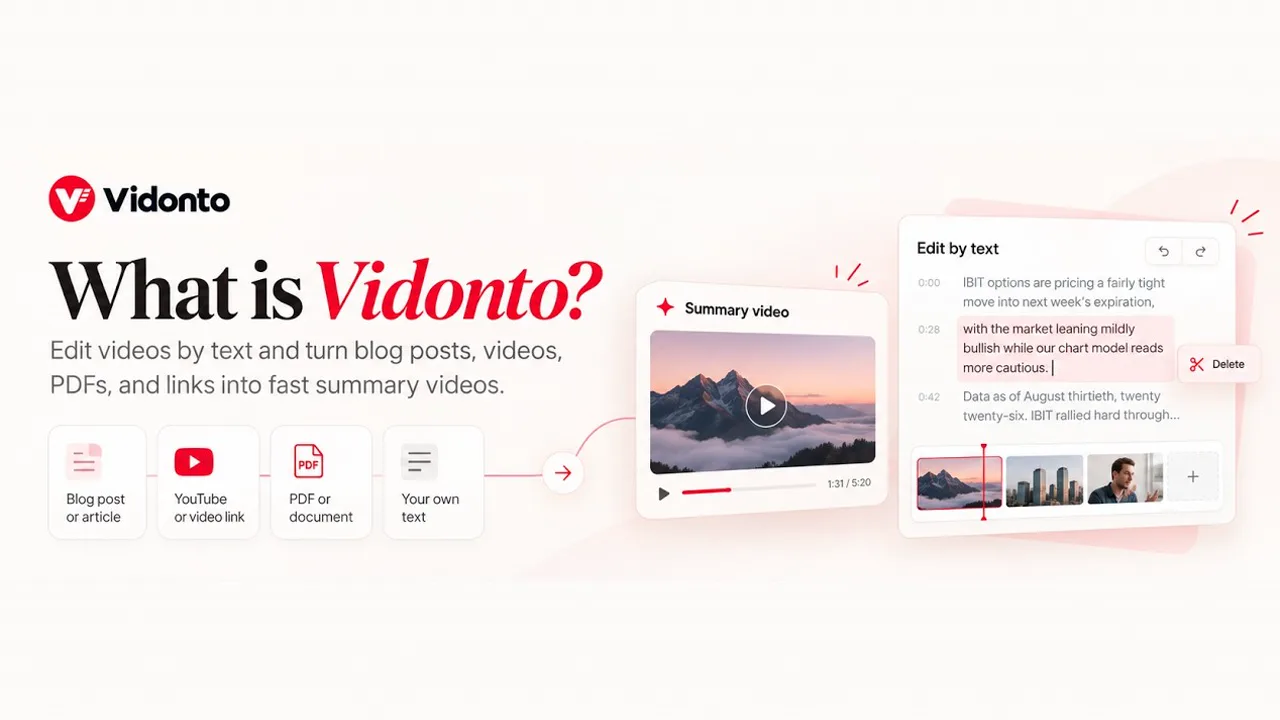
Paste a link, an article, your own text or a document and get a narrated summary video. Record or upload a video, edit it by deleting words, and pull out short clips to post.
Get free starter credits when you sign up and confirm your email. No card needed.
Video Editor
Edit a recording as fast as you edit text.
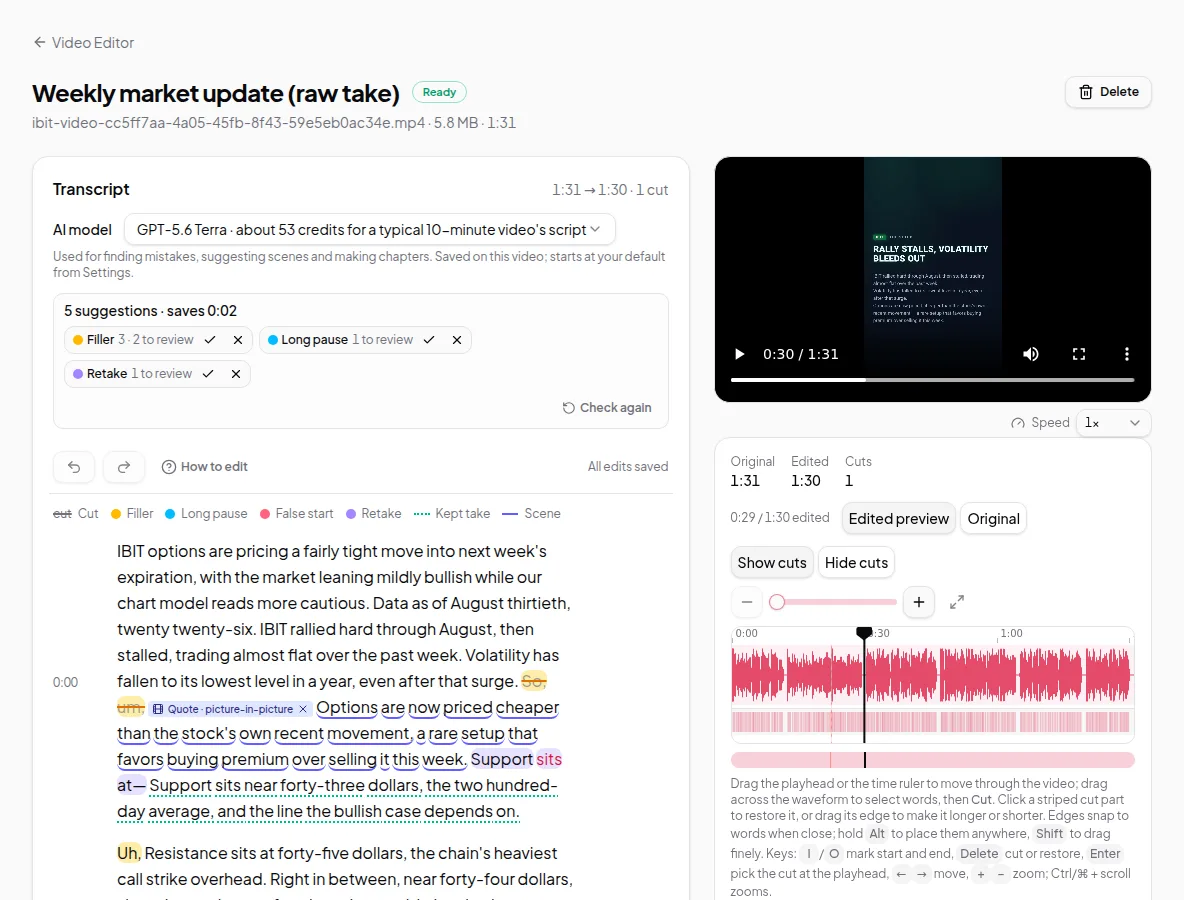
Recorded a talk, a lesson or a talking-head update? Open it in Vidonto and delete the words you don’t want — no timeline scrubbing. Ums, long pauses and retakes are flagged for you, so a rough take turns into a finished video fast.
Delete words, cut the video
Your recording becomes a transcript. Select words and delete them, and the video is cut at exactly those points. Drag on the waveform to cut a cough or a breath.
Ums and retakes found for you
Filler words, long pauses and retakes are flagged automatically. Accept or reject each one, and undo anything.
On your computer, or in the cloud
By default the video plays from your own machine and only a small audio track is sent for the transcript. Keep a video in the cloud if you want to edit it on any device.
Polish it when you want
Add captions, title and end cards, camera views, zooms and your logo and colours, in landscape, vertical or square.
Editing hours that don’t expire.Your video stays on your computer: only the sound is sent to make the transcript, which uses credits based on its length. Cutting, undoing, previewing and exporting in the browser are free, and purchased credits never expire. See pricing
Summary videos
A finished video in three steps.
No filming and no timeline. Paste a source, check the storyboard and download the video.
- 01
Paste a source
A YouTube link, a web page link, pasted text or a PDF, Word file or slides — several of them in one video, your own script narrated word for word, or just a topic, with real sources found for it.
- 02
Review the storyboard
A short script is written and the AI director plans how each frame is shown. Change anything before it’s made.
- 03
Download the MP4
Get a narrated, captioned summary video, ready to share.
New in Vidonto
Look finished, fast. No film crew needed.
Camera views, your own brand, an AI presenter or avatar — and a director that suggests the shots, so you don’t have to place each one by hand.
Video Editor
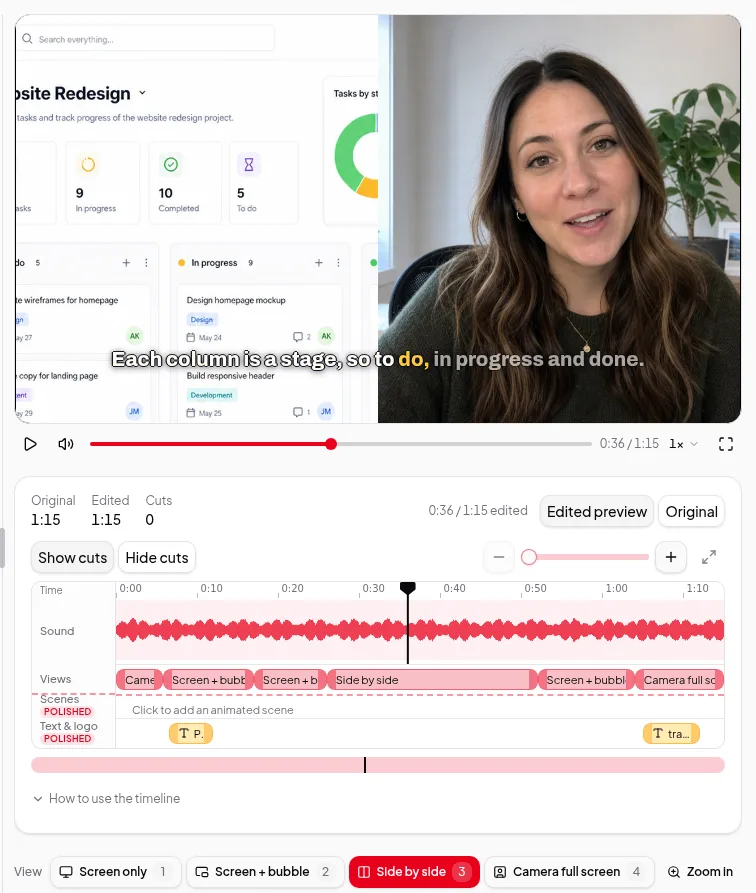
Camera views and auto zoom
Switch between screen, camera bubble, side by side and full-screen camera, zoom in on what you’re showing, or let Direct my video suggest the shots.
How camera views work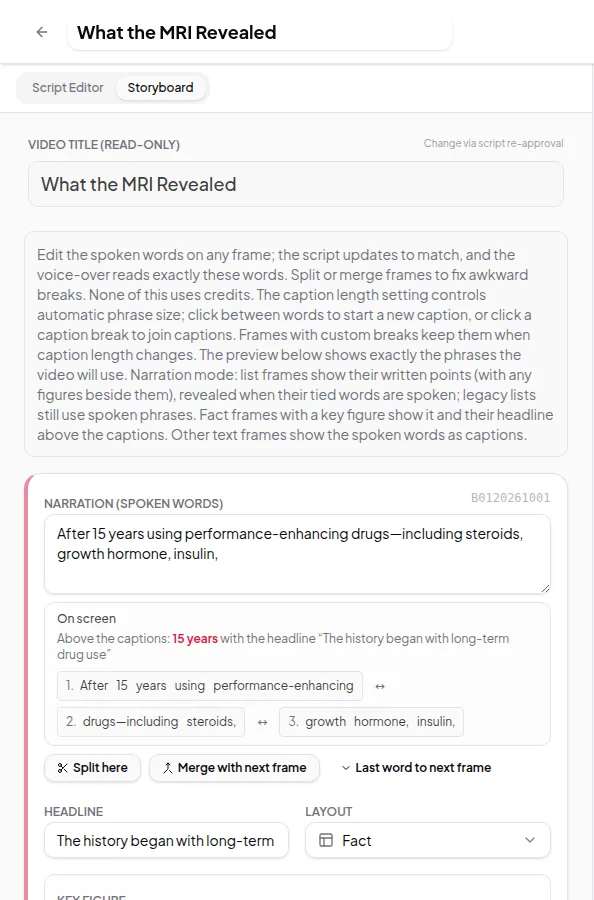
Summary videos
AI director and animated scenes
The director picks how each storyboard frame is shown — a layout, an AI image or a custom animation — and says why. You have the final say.
How the AI director works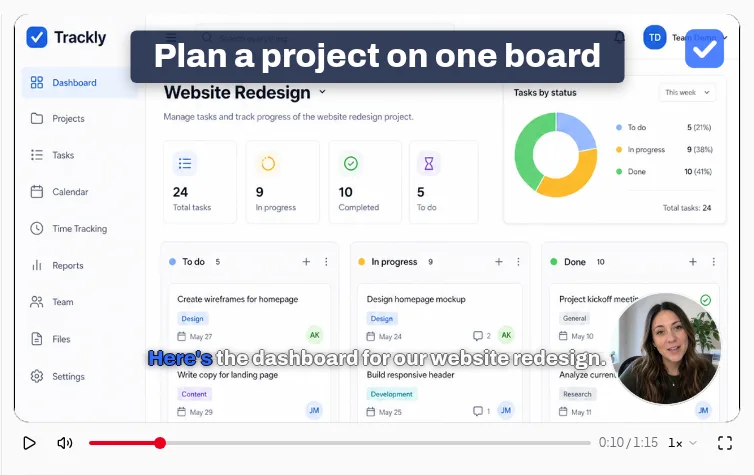
Video Editor
Brand kit and saved styles
Save your logo and colours once and use them on cards, captions and the corner of every polished video. Save a look as a style for next time.
Set up your brand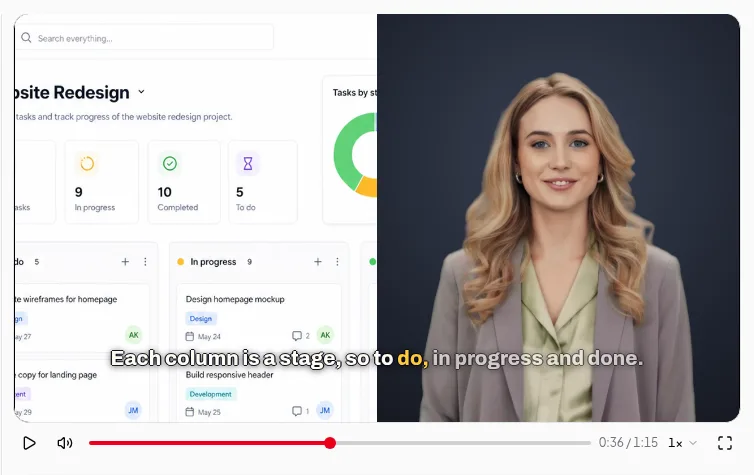
Video Editor
AI avatar for your recordings
Not a camera day? Record your screen and voice, and an AI presenter appears where your camera would be, lip-synced to your own voice.
How the AI avatar works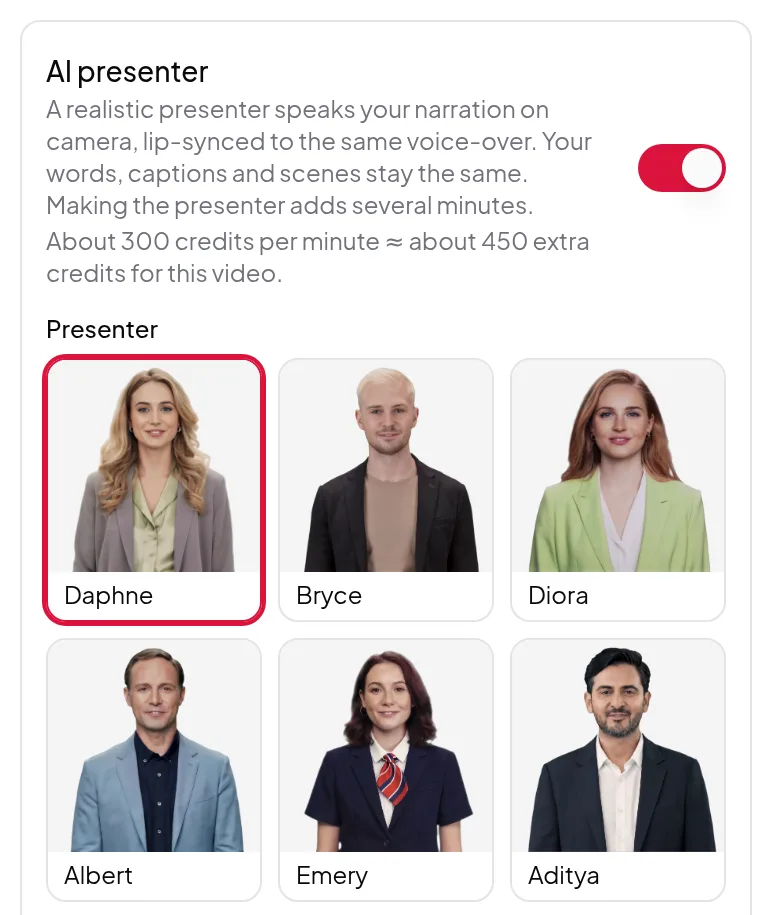
Summary videos
AI presenter
A realistic presenter speaks your narration on camera, lip-synced to the voice-over: in the corner, full screen, or standing in the scene.
How the AI presenter works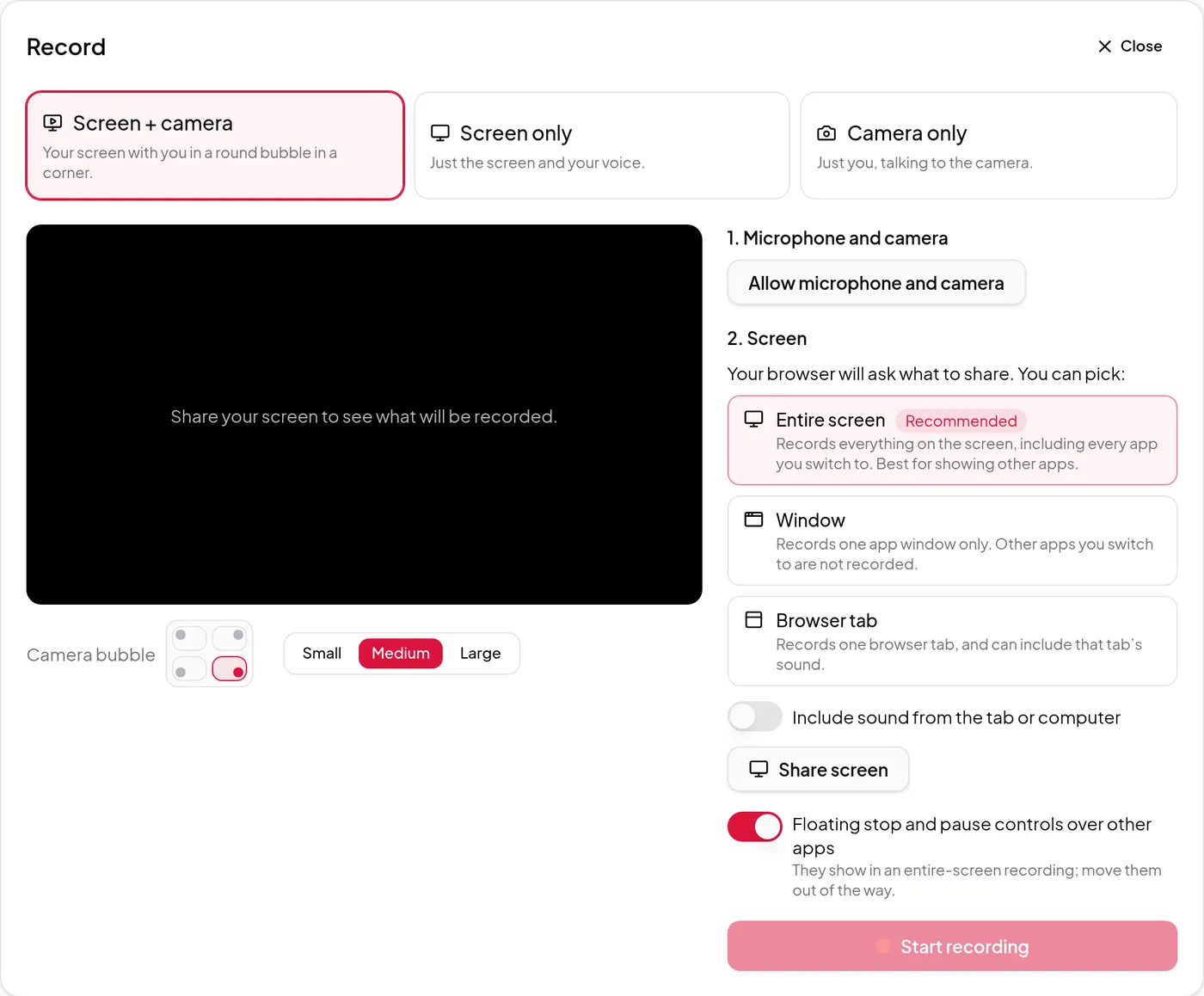
Video Editor
Record your screen and camera
Record your screen, your camera or both in the browser. Save the take on your computer or send it to the cloud as you record.
How recording worksMore shortcuts in Vidonto
- Your footage in summary videosClips from your own recordings, where they fit.
- Add a video from a linkYour YouTube, TikTok, X or Facebook videos.
- Highlights videosThe best moments of one recording, with narration.
- CompilationsOne highlight video from several recordings.
- Keep in the cloudEdit on any device. Opt in per video.
- Description writerTitles, descriptions, social posts and blog posts.
- ChaptersTimestamps ready for YouTube.
- Short clipsFind 15–90 second moments to post as Shorts.
- DubbingYour words in 29 languages, in a voice like yours.
- Background blur and replaceNo green screen needed.
- Sound cleanupRemove background noise and room echo.
- Your own scriptNarrated word for word, no AI script charge.
- Share linksA watch page anyone can open, no sign-in needed.
- Summary videos in 26 languagesScript, voice-over and captions in your language.
- PDF, Word or slidesUpload a file and get a summary video.
- Several sources, one videoCombine up to 5 sources, or find them for a topic.
Need a video? Get it pronto.
New accounts get free starter credits once the email is confirmed.